Sections and subsections in the Estimating Items
Sections and subsections in the Estimating Items
Versions 3.0.20 and later of Active Takeoff allow you to create sections and subsections for classifying Estimation Items.
Note that you cannot add new subsections to existing sections (01 to 17).
Creating a new section:
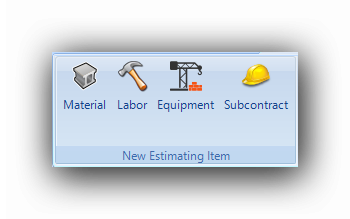
New sections are created within the Estimation Item creation interface :
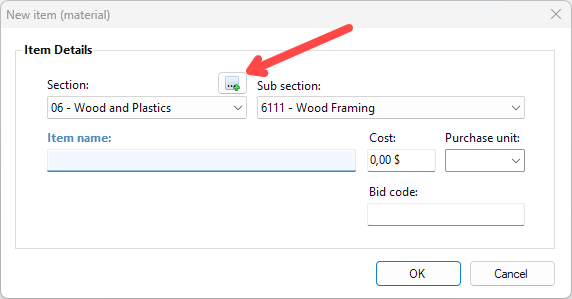
When a new estimatiing item is being created, a button will appear near the section selection menu. :
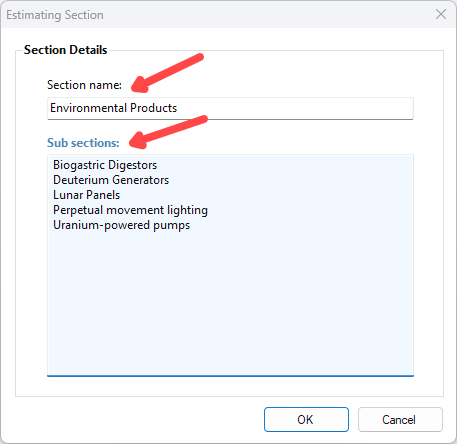
A section and subsection editing window will appear :
Once the editing is complete, the new section and subsections will appear :
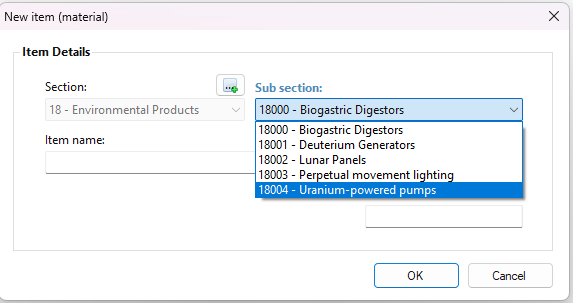
Once the sections and subsections have been created, estimating items can be added to them.

It is not possible to modify or delete sections and subsections once they have been created.